July 23rd, 2026
Appliance.io Updates & Improvements
July 23rd, 2026
Support OEM Warranty Fields (WarrantyParts & WarrantyLabor)
Orders created through the CPS integration now include manufacturer warranty duration information when valid warranty data is available.
What's New
Manufacturer warranty duration is automatically sent to CPS during order creation.
Warranty information is mapped to the WarrantyParts and WarrantyLabor fields.
Warranty data is validated before being sent to ensure compatibility with CPS.
Invalid or unsupported warranty values are skipped, allowing orders to continue processing without interruption.
Important Notes
This enhancement applies only to new CPS orders. Existing orders are not updated.
Only valid warranty durations in months are supported.
The same warranty duration is sent to both WarrantyParts and WarrantyLabor.
Missing or invalid warranty data will not prevent an order from being created.
Improve Dashboard Route Visibility for Multi-Warehouse Companies
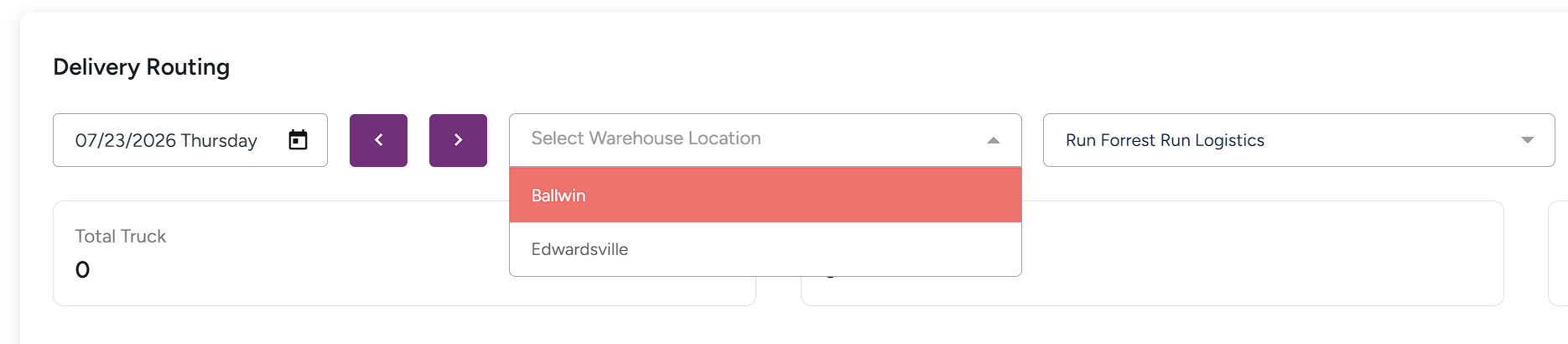
We've improved the Dashboard Routing widget to support multi-warehouse companies by using the selected warehouse when retrieving route information. This ensures the Dashboard displays the correct routes and provides a more consistent experience with the Routing page.
What's New
Added warehouse support when retrieving route data from the Dashboard.
Multi-warehouse companies can now view routes for the selected warehouse directly from the Dashboard.
Route information is now retrieved using the same warehouse logic as the Routing page.
Single-warehouse companies continue to use the Dashboard without any changes to their existing workflow.
Important Notes
This enhancement primarily benefits multi-warehouse companies.
If no routes appear on the Dashboard, ensure the correct warehouse is selected.
The Dashboard and Routing page now use the same warehouse context when displaying route information.
No changes have been made to route planning or delivery workflows; this update only improves how route data is retrieved and displayed on the Dashboard.
Fix Order Totals Breakdown Mismatch When Returns Exist
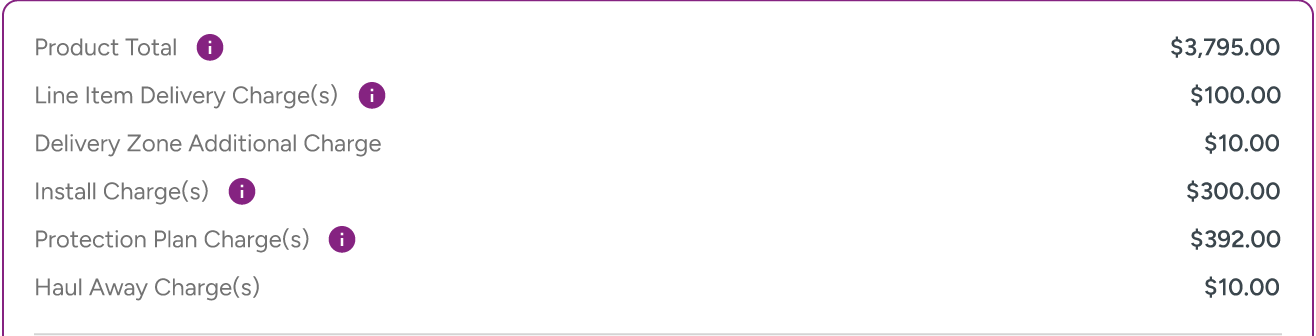
We've improved how order totals are displayed for orders that include returns, item removals, customer credits, or other adjustments. Order summaries now present original order amounts separately from return activity, making it easier to understand how the final order balance is calculated.
What's New
Primary order totals now consistently display the original order amounts before returns are applied.
Added a dedicated Returns & Adjustments section to summarize return-related activity.
Product Total now includes a detailed breakdown showing all products that contributed to the original total.
Returned products are clearly identified within the Product Total breakdown.
Updated totals labels for improved consistency and readability.
Important Notes
This update changes how order totals are displayed, not how they are calculated.
The Returns & Adjustments section appears only for orders that contain return activity.
Orders without returns continue to display the existing totals layout.
Return processing, customer credits, tax calculations, payment processing, and accounting workflows are unchanged.
Update Product Links to Open SKUDeck™
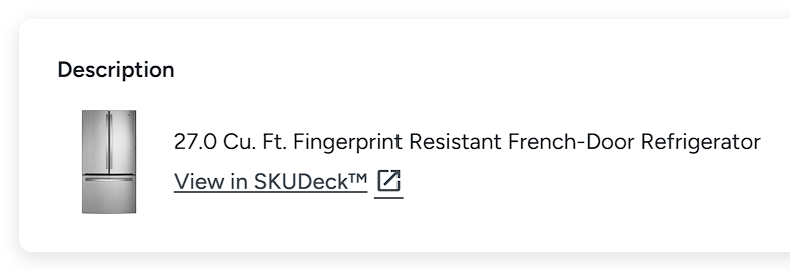
Product links in Quotes, Orders, and Product Details now open directly in SKUDeck™ instead of the dealer's website, making it faster and easier to view product information.
What's New
Product links from Quotes, Orders, and Product Details now open the matching product in SKUDeck™.
SKUDeck™ automatically searches for the selected product using its model number and brand.
The Quote and Order link label has been updated from "View Website Page" to "View in SKUDeck™".
Dealers can access product information consistently, regardless of whether they have a website.
Important Notes
This update changes only where product links open. Quote, Order, and Product Details workflows remain unchanged.
SKUDeck™ uses both the product model number and brand to help identify the correct product.
If multiple brands share the same model number, the brand is used to open the appropriate product.
If no matching product exists in SKUDeck™, the product may not open as expected.