July 10th, 2025
Platform feature update completed on July 10th, 2025
🚀 Smarter, Sleeker Quotes and Orders Emails Experience
✨ What’s New?
We’ve made sending quotes and orders smoother, cleaner, and much more trackable. Say goodbye to manual copy-pasting signatures and hard-to-read emails. Here's what's new and where it happens:
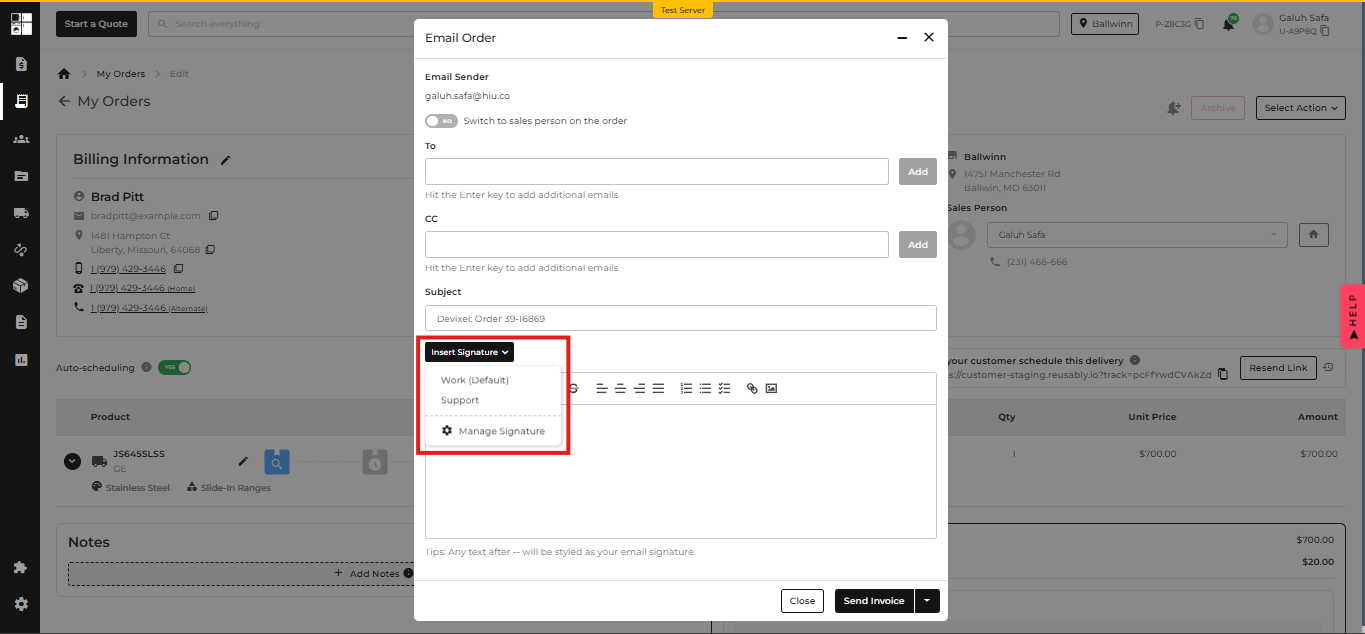
1. Insert Signature Dropdown
Now you can instantly insert your preferred email signature when sending Quotes or Orders — no more manual pasting!
📍 Where: Quote/Order → Email → Pop-up → Insert Signature
How it works:
- Click the Insert Signature dropdown
- Choose your signature
- Click the Manage Signature button to manage your saved signatures with one click
2. Smart Signature Styling
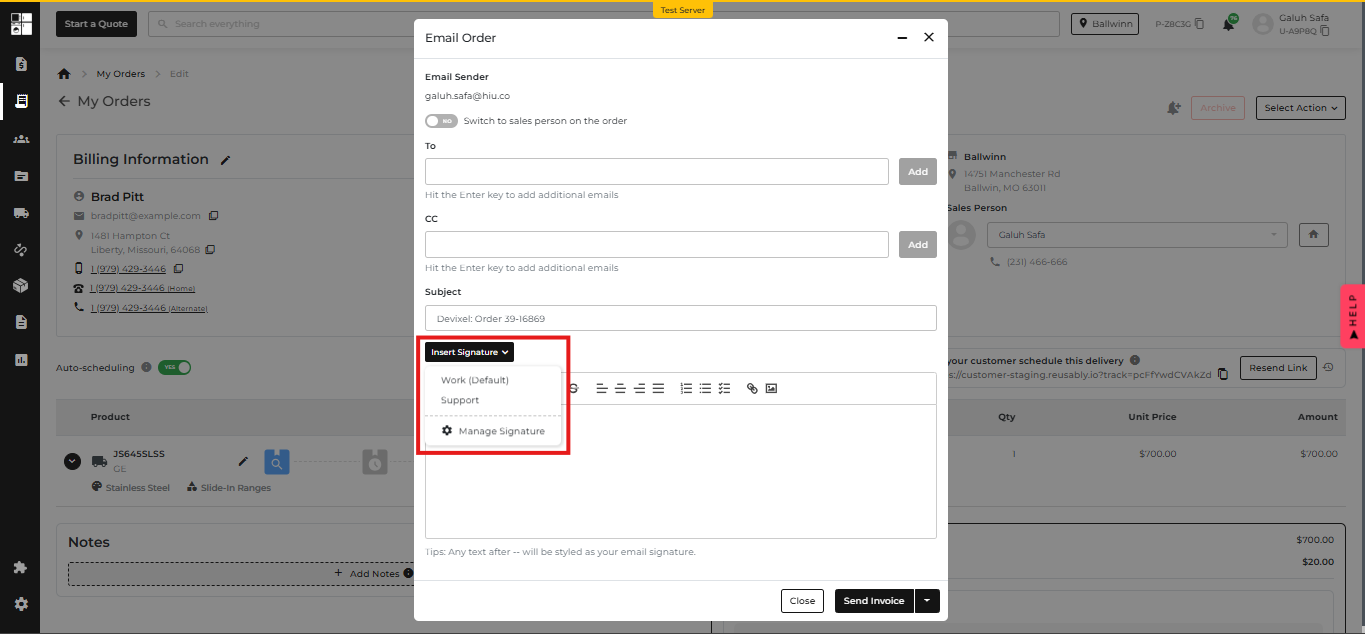
We’ve added a clean way to differentiate your main message from your signature.
📍 Where: Email Body Editor
Magic Rule:
Type -- then write your signature → it auto-styles in light grey
💡 Tip appears below the editor:
“Any text after -- will be styled as your email signature.”
3. Better Signature Management
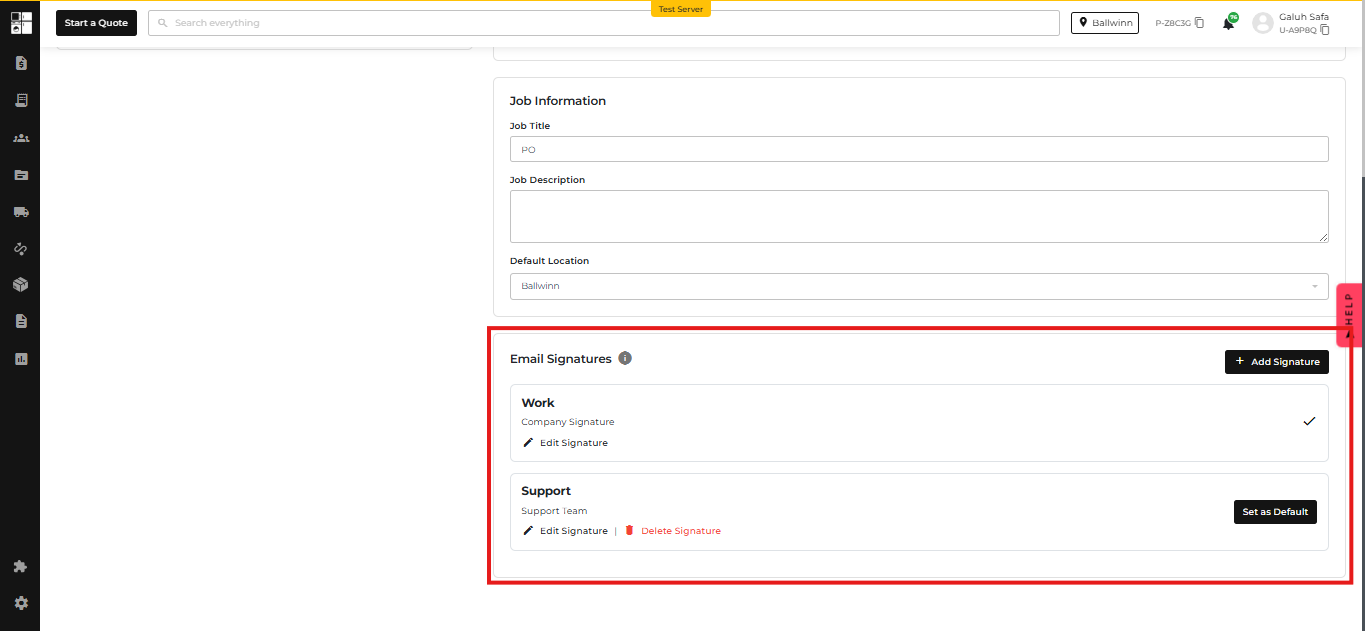
Create and customize multiple signatures directly from your profile.
📍 Where: Profile Settings → Under Job Information
You can now:
✅ Add multiple signatures
🏷️ Label each one (like “Support”, “Sales”, etc.)
⭐ Set one as your default
🖋 Supports rich text: bold, links, line breaks, colors, and images.
4. Email Readability Upgrade
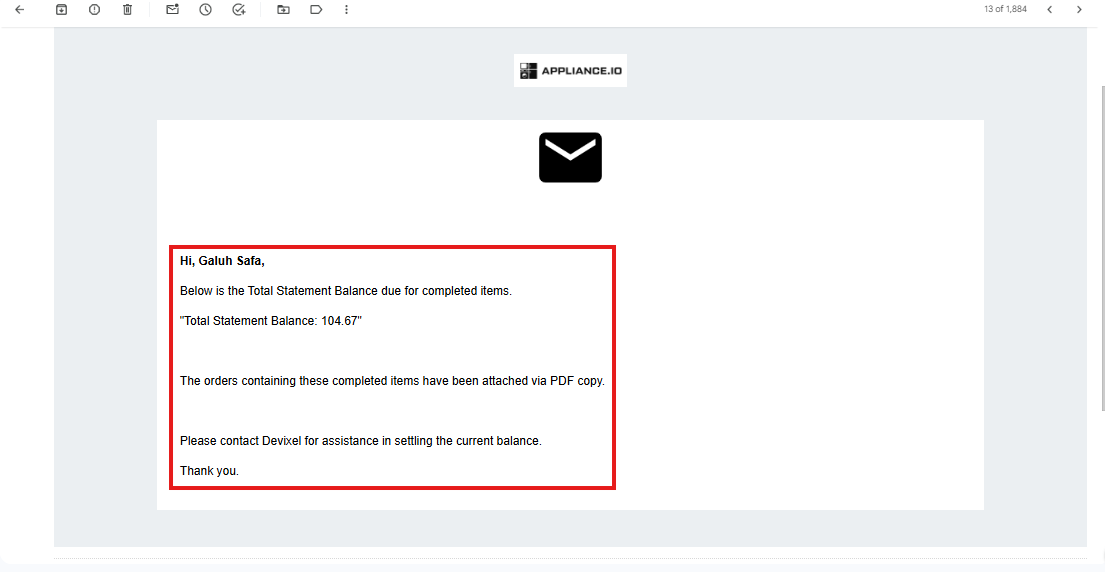
We’ve made all customer-facing emails easier to read.
📍 Applies To: All outgoing emails to customers
- Font color changed from light grey to bold black
- Clean, professional, and readable every time
⚙️ Why It Matters
Previously, adding a signature used to be a hassle and was often forgotten. Now:
- It's fast 🏎️
- It’s consistent ✍️
- It’s trackable 📩
Keep every customer email on-brand and polished, effortlessly.
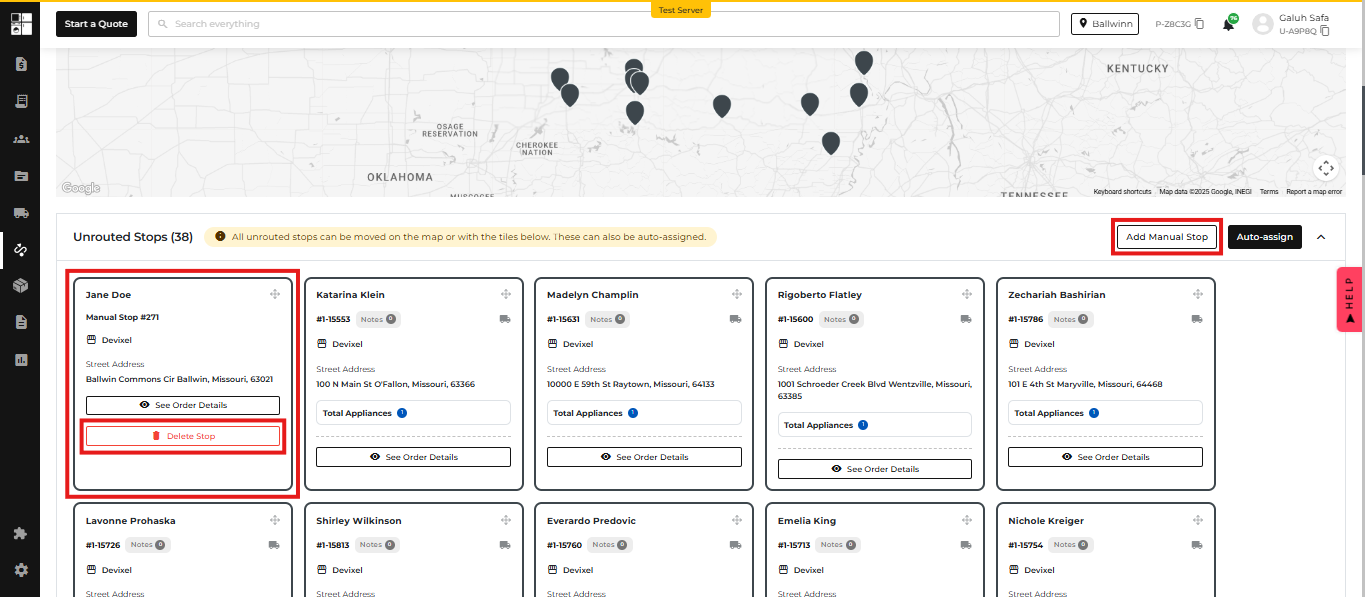
🚚 Routing Just Got Smarter: Manual Stop Magic Is Here!
📍 Where: Routing Page → Unrouted Stops Section
🆕 What’s New:
1. Add Manual Stop (Fast & Easy)
- No more hassle! You can now add a Manual Stop directly from the Unrouted Stops section with the new “Add Manual Stop” button.
- Find it next to the Auto-Assign button.
2. Instantly Appears in Unrouted
- Once added, the stop will pop up in the Unrouted Stops section, ready for:
- ✅ Auto-Assign
- 🖱️ Drag & drop on the map
- Just like your regular imported stops—no more manual detours.
3. Clean Up with Delete
- Need to change your mind? You can delete Manual Stops directly from the Unrouted Stops section. Easy cleanup, no fuss.
⚙️ Why It Matters:
This change saves dispatchers time and reduces errors during routing, especially when adding last-minute or missed stops.
🧩 New Update: Brand-Based Pricing Visibility Control
📍 Where: Product Pricing Settings (Per Brand)
We’ve made it easier for you to manage how product pricing appears on your e-commerce site — now per brand! 🎉
🆕 What’s New?
You can now hide pricing on your website for specific brands and guide customers to contact you instead. Perfect if you want to handle quotes manually or tailor prices.
⚙️ How It Works:
- New Toggle: "Hide Pricing on Website"
- 📌 Found in the Product Pricing Settings (per brand)
- When the toggle is ON, you'll see:
- 📝 Custom Message Field
- Set what the button says (e.g., Request Pricing)
- Max 30 characters
- 📞 Contact Action Dropdown
- Choose what happens when users click the button:
- Call a phone number
- Open an email
- Input field updates based on your selection
- Choose what happens when users click the button:
- 📝 Custom Message Field
👀 What Customers See
- If pricing is hidden for a brand:
- Prices on your site are replaced with a button
- The button shows your custom message
- Clicking it either calls or emails you, based on your setup
🧾 New Feature: ADC Integration
📍 Where: Integrations, Onboarding, and Inventory Pages
Unlock the power of the ADC Integration by accessing real-time inventory from ADC warehouses and streamlining operations with buying group benefits and business tools! 🚀
🆕 What’s New?
🧭 Onboarding Page
- New ADC Buying Group option.
🔌 POS Integrations Page
- Added a new ADC Integration toggle — easily turn the integration on or off.
📦 Inventory Page
- Say hello to the brand-new ADC Inventory tab!
This tab only appears when the ADC integration is enabled.
- It’s packed with features to make your product management smoother:
- ✅ Smart Filters
- ✅ Quick Search
- ✅ Multi-column Data Table
- ✅ One-click Export
- ✅ Easy Pagination for large inventories
No need to jump between tools — all the ADC inventory data you need, right where you work.
🕒 New Feature: Custom Lead Time Settings
📍 Where: Settings → Delivery Schedule and Delivery & Install Page → Cut-Off Time Section
Need more control over how far in advance orders can be placed? You got it!
With this update, you can now set a specific lead time to match your team’s workflow and delivery prep window — no more one-size-fits-all rules! 🎯
🆕 What’s New?
✍️ Cut-Off Time Settings
- A new option is now available: "Custom Lead Time"
- Once selected, you’ll see a field to define how many days in advance orders must be placed
💡 Example Use Cases
- Want to require 2 days’ notice for all deliveries? Just set it to 2 days!
- Great for businesses with prep-heavy operations or fixed delivery slots
🧩 Fully Integrated Experience
- The feature follows the same design and UX patterns you’re used to
- Works across both the POS and website — customers will only see delivery dates that match your lead time rules
- The backend logic has also been updated to make sure everything flows smoothly behind the scenes