July 24th, 2025
Platform feature update completed on July 24th, 2025
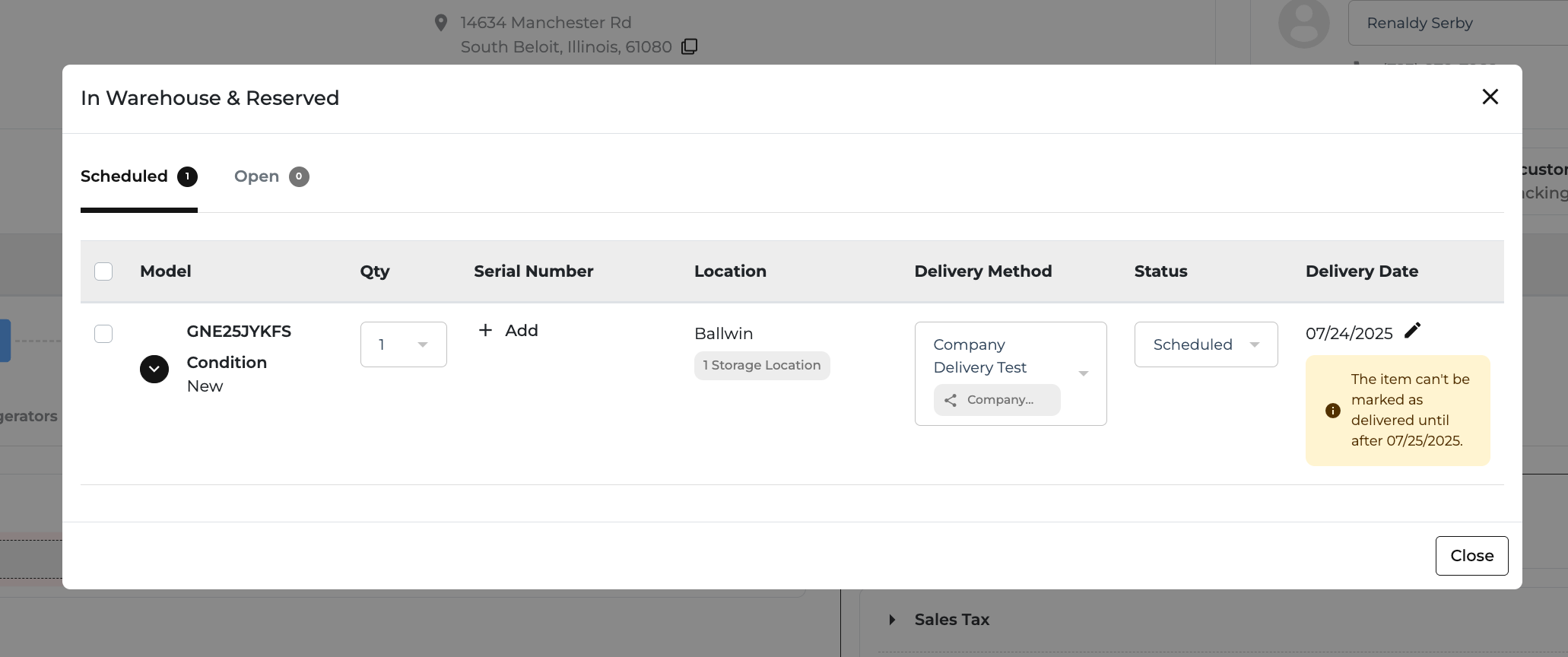
🚚 New: Mark “In Transit” Orders as Delivered — Without the Driver App
What’s New?
Superadmins, Buyers, and Store Managers can now mark In Transit orders as Delivered directly from the Order Page — no need to rely on the Driver App. This helps speed up the delivery process and avoid delays.
💡 Here’s How It Works:
- Click the blue truck icon on the Order Page.
- Confirm the items were delivered.
- Choose the delivery method, date, and enter any required serial numbers.
- Click Add — and you're done!
📍 Where You’ll See It
- Order Page (POS)
- Routing Page (auto-completes delivery stops)
🔐 Who Can Use This?
- Only Superadmins, Buyers, and Store Managers
⏱ When You Can Use It
- For orders that are at least 1 day past their scheduled delivery date
- Available for Delivery Routing method only


📢 New: Add Secondary Contacts to Customer Profiles
What’s New?
You can now add a spouse, colleague, or family contact directly to a customer’s profile — no more cluttering the Notes section. Keep your contact info organized and easy to access across the system.
💡 Here’s How It Works:
- On the Edit Customer page, you’ll find a new Secondary Contact section
- Add their name, relationship, phone, and email
- On the Add Customer
- On Quotes & Orders, you can edit or update secondary contact info via a quick pop-up
- Changes apply only to that specific quote or order
- On the Drivers App, you'll find a new Secondary Contact section
- View their name, relationship, phone, and email
📍 Where You’ll See It
- Edit Customer Page
- Customer Detail Page
- Quotes & Orders
📝 Bonus
All changes to secondary contacts are automatically tracked — so everyone stays informed.


🚚 New: Cleaner, Smarter Delivery Tracking
What’s New?
We’ve redesigned the Delivery Tracking page to make it easier to follow your order — no clutter, just the info you care about.
💡 Here’s What’s Improved:
- Simplified Map View – We removed the confusing route line for a cleaner look
- Warehouse Label – Easily see where your delivery is coming from
- Stop Number – Know your spot in the delivery queue at a glance
- Live Tracking – Appears only when the driver is on the way to your stop
- Delivery Details – Customer name, phone number, and address are now clearly visible
- Fulfillment Info – Now shown up front, no more digging in dropdowns
📍 Where You’ll See It
Customer Portal → Delivery Tracking Page
✨ Why It Matters
Track deliveries with less guesswork and more clarity — everything you need, right where you expect it.
💡 Tip: Not seeing the update? Refresh your page or clear your cache.


🚀 New: Bulk Edit Storage Locations in Inventory
What’s New?
You can now update the Storage Location for multiple products at once — no need to edit them one by one.
💡 Here’s How It Works:
- Select multiple products in Inventory
- Click Bulk Edit
- Update the Storage Location field
- Click Save — and you're done!
📍 Where You’ll See It
Inventory Page → Bulk Edit
✨ Why It Matters
This update makes warehouse updates faster and easier — helping you keep things accurate without all the extra clicks.
💡 Pro Tip: Filter by brand or category to speed up your edits even more.

🔍 New: Filter Out Old Orders in Protection Plan Report
What’s New?
You can now exclude older orders from your Protection Plan Report using the new “Exclude Order Dates Before” filter.
💡 How It Works:
- By default, all orders still show
- Set a date to hide orders placed before that date
- Keeps your report clean and focused
📍 Where You’ll See It
Top of the Protection Plan Report, next to other filters
✨ Why It Matters
No more outdated data, duplicate payments, or manual cleanup — just accurate reporting and faster reviews.
