November 11th, 2024
Platform feature update completed on November 14th, 2024
Welcome to the latest updates for Appliance.io! We’ve been working hard to implement some exciting new features and fixes to make your experience smoother, more efficient, and just all-around better. Let’s dive in! 🔍👇
📬 Delivery Notification Updates – Keeping Everyone in the Loop
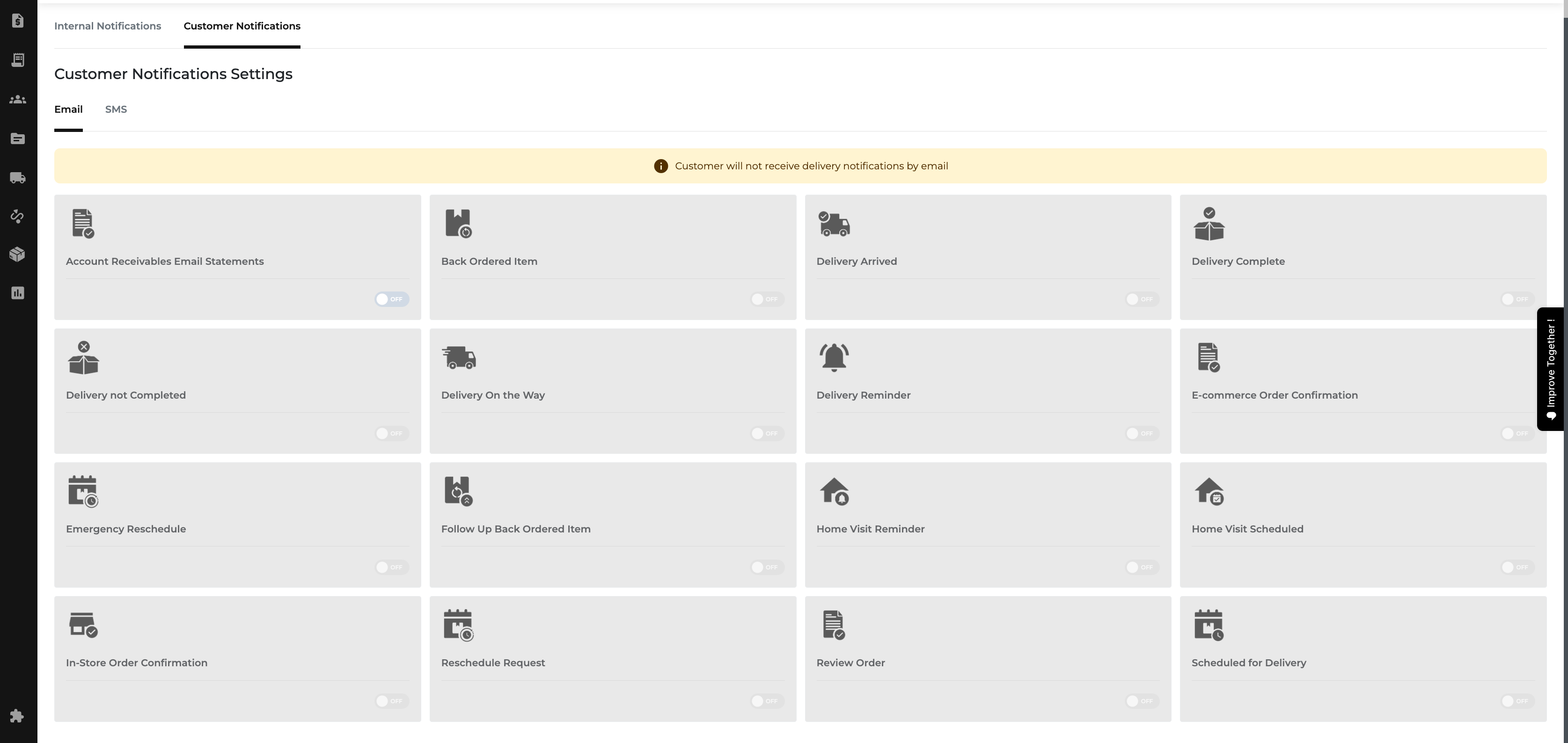
No more missed deliveries! Now, all phone numbers and emails associated with a delivery receive updates, so everyone — tenant, property manager, and more — stays informed. Plus, helpful banners will now show when notifications are set for SMS or email, making it clear exactly how customers will be notified. And yes, we’ve also made the grammar right by switching "Alternative" to "Alternate" where it matters!
Before

After

📅 Future Dating for Stock Requests – Reserve Inventory When You Need It
Sales teams can now date inventory out for future use, even when stock is available.
What's New?
Sales teams can now request inventory for future use, even when stock is available.
If stock is available on the requested date, the system will automatically reserve it.
When stock is unavailable, the process defaults to the "Immediate" option, just like the current flow.
To make things clearer, the "Immediate" option will be disabled by default when stock is available, and "Select Date" will be the new standard—streamlining how you plan future orders.
🔎 Improved Inventory Reconciliation – More Control, Better Filters
Inventory reconciliation just got an upgrade! We’ve added subcategory and brand filters, so you can narrow down specific groups of items for easier management. The match function now shows all models which have similar location, category, and condition (not just scanned ones) for better visibility into discrepancies. Plus, manual quantity adjustments and clearer instructions make this process smoother, whether using a scanner or not.
💸Pricing Wizard on Single Add Inventory Page – Price Non-New Stock Without the Hassle
Quickly see which quotes and orders are tax-exempt—no more manual checking!
What's New?
The pricing wizard tool is now available directly on the single add inventory page! No more switching between tabs to access pricing data. Users can now price non-new stock with ease, improving workflow efficiency and keeping everything in one place.
🔢 Transparent Rebates on Orders – Better Clarity, No Confusion
We’ve updated the way rebates are applied and shown in order summaries. Rebates now appear under the total as a post-tax reduction, just like payments, making it clear that rebates don’t affect the taxable amount. You can add rebates through the "Add Payment/Rebates +" section, where they’ll be displayed accurately and transparently for easier understanding of the final amount.