Platform feature update completed on February 13th, 2025
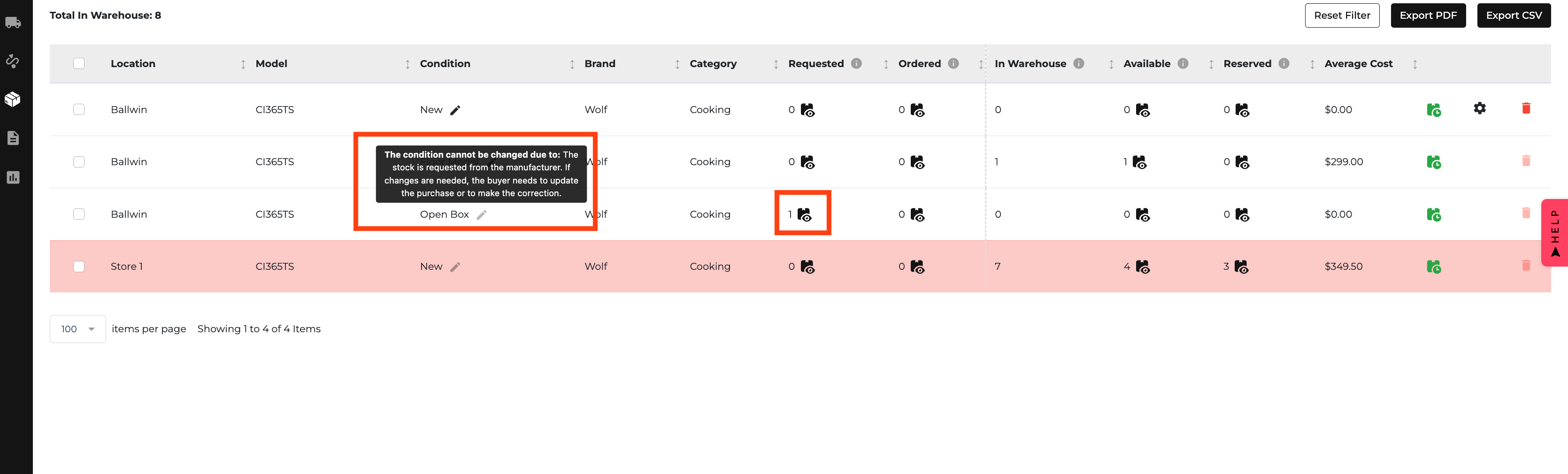
New: Edit Item Conditions on the Inventory Page! 🎉
Now, update item conditions directly without extra steps! ✏️ Quick Edit
- Click the edit pencil icon next to Condition to update:
- Model Number
- Current Condition
- A drop-down for new condition options (New, Floor Model, Damaged, etc.).
✅ What Can and Can’t Be Changed
- Can Edit: In-stock and available items, including floor display models.
- Can’t Edit: Items requested, on order, or reserved for a specific order.
🔄 Smart Merging Same model with the updated condition? We automatically merge them for cleaner records!


