Platform feature update completed on January 16th, 2025
We’re excited to announce the completion of a platform feature update for Appliance.io on January 16th, 2025! 🚀 This update brings key improvements to enhance user experience, streamline workflows, and introduce new capabilities for our community. 💡👨💻
1. 💸 Restocking Fee: Easier, Smarter, and Error-Free!
✅ What’s New? We've made applying restocking fees a breeze with more options and fewer mistakes!
🛠️ The Changes:
- Choose between Locked or Minimum Locked percentages for automatic fees.
- Or, manually enter the fee or skip it altogether.
- We’ve added a handy warning to confirm the fee before processing a return on the order page.
💡 Why You’ll Love It: Less room for error means fewer headaches for you and your team. Simplify your workflow and keep things running smoothly! 🚀
2. 🛠️ E-Commerce Settings: Category Control Now Live!
✅ What’s New?
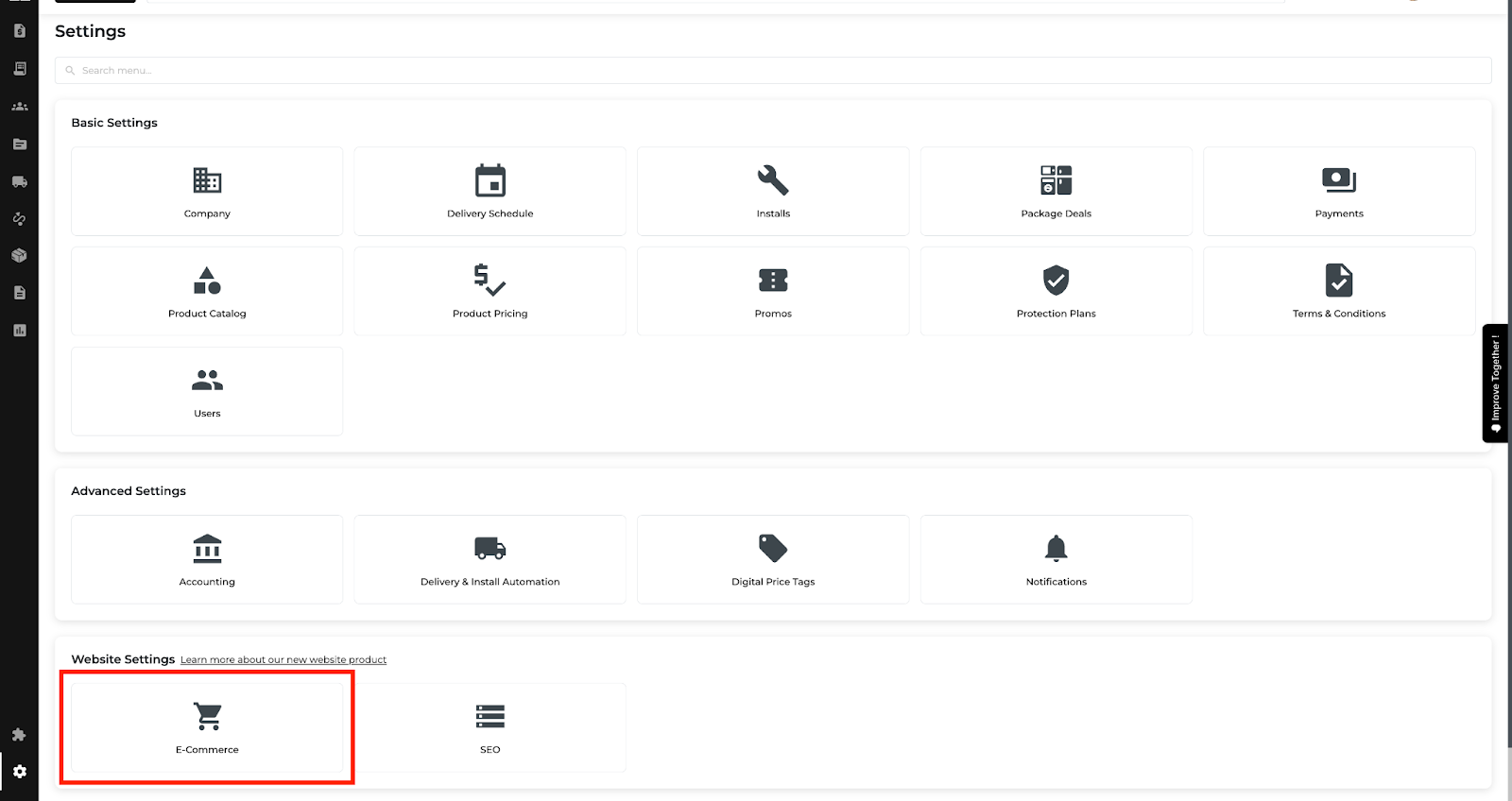
We’ve introduced a Categories Tab in E-Commerce Settings!
Now, you can:
- Easily toggle appliance categories like Refrigerators, Washers, and more on or off.
- Control which categories your customers see, tailored to your offerings.
⚙️ Enhanced Brand Settings:
- Customize category visibility per brand for added precision.
- If a category is turned off, it stays hidden across all brands—keeping your website clean and relevant.
💡 Why It’s Awesome:
No more customer confusion or irrelevant product displays. You’re in charge of what your website showcases!


3. 👤 Account Manager Assignment: Simplify Customer Management!
✅ What’s New?
Introducing the Account Manager Assignment feature, designed to streamline customer profile management and enhance order accuracy:
- 🌟 Assign with Ease: Add an account manager to customer profiles and keep things tidy.
- ⚡ Auto-Salesperson Magic: Orders automatically pick the right account manager as the salesperson—no manual juggling!
- 📧 Stay in the Loop: Real-time email alerts for account manager or salesperson changes. No surprises, just clarity.
- 🗂️ Archive, Don’t Forget: Archived profiles keep account manager info safe—out of sight but never out of mind.
- 💬 Pop-Up Power: Helpful pop-up alerts during order creation to keep everyone informed.
💡 Why You’ll Love It:
Fewer headaches, faster orders, and a happier team. It’s like having a personal assistant for every profile!


4. 📝 Reports: Instant Rebates - Bulk Selection is Here!
✅ What’s New? Now you can easily select multiple orders at once in the Instant Rebates Report. No more tedious clicking!
📋 How It Works:
- Checkboxes next to each order for easy selection.
- "Select All" checkbox at the top for bulk selection.
- Manually select multiple orders if you don’t want to select everything.
⚡ Pro Tip: Use the bulk actions to apply rebates or mark orders as processed with just a few clicks!
💡 Faster, more efficient management of orders, especially when you’re handling large volumes. Less frustration, more productivity!
5. 📸 Non-New Inventory: Control Your Thumbnail!
✅ What’s New? You can now select the main image for non-new condition inventory, ensuring the best view is always front and center on your website!
🖼️ How It Works:
- When adding pictures, drag your top-choice image into the big “Featured Image” box—it’ll automatically become the thumbnail.
- Editing an existing product? Just move the desired image to the “Featured Image” section for quick updates.
- Need a change? Simply pick a new main image whenever you like!
⚡ Pro Tip: The bigger the box, the bigger the impact! Use this intuitive feature to showcase your most eye-catching product angle.
💡 Why This Matters: First impressions count! Make sure your non-new stock looks its best by displaying the most important or appealing image as the thumbnail—every time. 🚀
6. 🖨️ Print Your Home Visit Details with Ease!
Say hello to the Print Button in the Home Visit Details modal! Now, you can:
- Print the details you need in a clean, professional format.
- Have everything ready to go for your on-site tasks—no extra hassle.
🔍 Where to Find It: Available exclusively on the Customer Detail Page.
💡 No more scrambling for work details—just click, print, and you’re set!
7. 🔎 My Orders & Order Reports: Save Your Filters, Save Your Time!
✅ What’s New? Your filters in the Order Reports are now smarter! When you navigate back after checking an order, your filtered list will stay just as you left it. No more starting over!
🖼️ Feature Changes:
- Applied filters are saved automatically while you work.
- Your filtered list will stay intact when you return to the Order Reports page from an order details view.
⚡ Insider Tip: Use filters to create your ideal list and jump back and forth with confidence—your settings aren’t going anywhere!
💡 Why You’ll Love It: Save time, reduce frustration, and boost productivity by picking up exactly where you left off. It’s smoother, faster, and designed for your workflow. 🚀
8. 🎉 Improvements in the "Improve Together!" Tab
✅ Got ideas or bugs? Hop into the new sidebar tab called "Improve Together!" It’s your space to share, suggest, and solve.
- 💡 Flow Improvement: No more ping-pong chats! Provide all details up front to save time and get your ideas moving faster.
- 🤔 The ‘Why’ Factor: We’re all about purpose. When you submit, tell us why your idea matters—this helps us prioritize and improve your experience!
- 📂 Pick a Category: Choose from helpful options like Delivery, Inventory, Notifications, and more to keep submissions crystal clear.
- 🐞 Bug Reporting Made Easy: Attach up to 3 pictures or a 3-minute video to explain issues. Pro tip: Talk us through the problem—like narrating your own bug-busting thriller!
- 🚀 Sneak Peek: A full-screen video recording tool is on the way! Soon, you’ll be able to capture multi-page flows in one seamless take. (Not live yet, but it’s coming!)
📝 Pro Tip: Separate Conversations for Each Idea or Bug Have multiple suggestions or issues? Start a new conversation for each one—keeping things tidy and organized. You can always circle back to add more details later. We can’t wait to collaborate with you! Head over to "Improve Together!" and let’s keep building greatness.


We've also made some updates to the website. You can check these out here: