Appliance.io Updates & Improvements (June 11th, 2026)
✨ Update: Website Builder
What's New
Website Builder is now available as a dedicated experience for creating, managing, and publishing websites.
This release introduces a simplified website onboarding flow, direct content editing, page and section management, SEO controls, custom code support, and a Draft → Publish workflow that gives users greater control over how website changes are prepared and released.
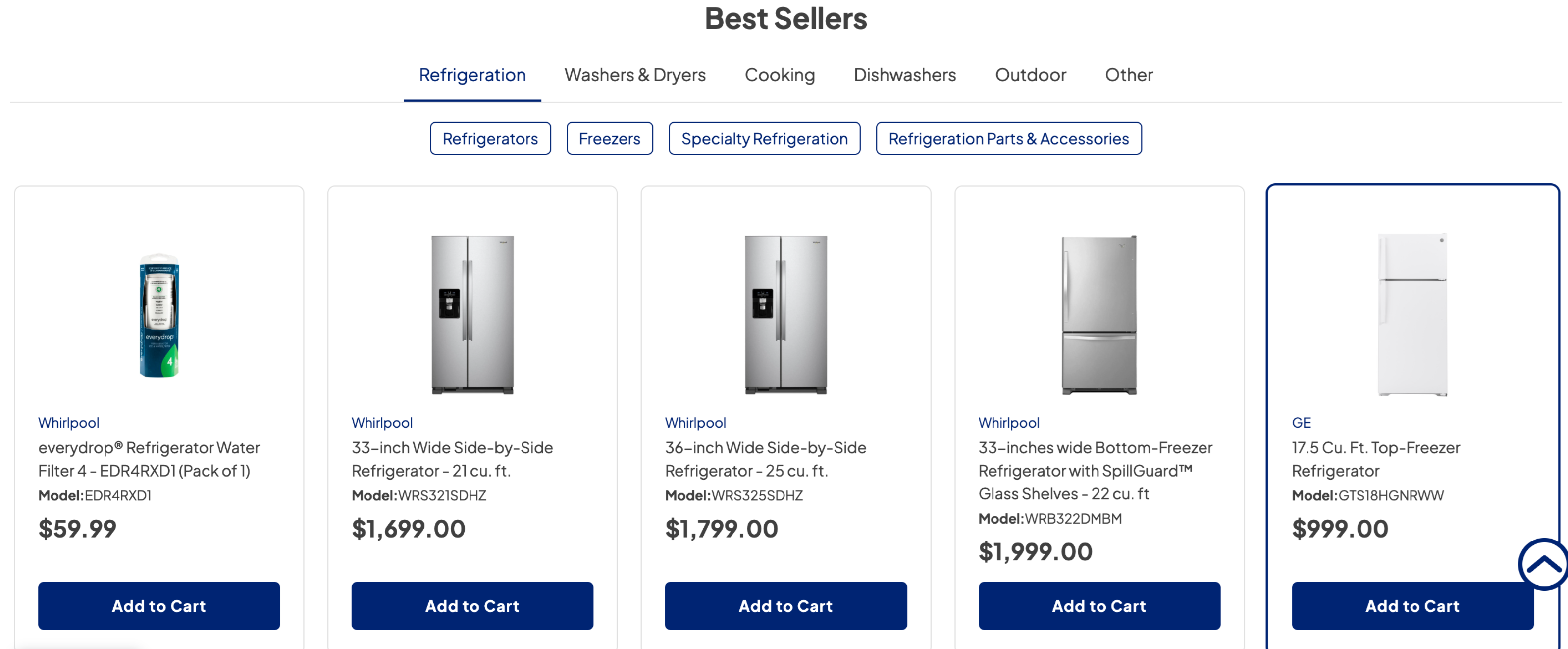
In addition, the storefront experience has been refreshed with updated Hero and Best Seller sections to improve navigation, product discovery, and overall visual consistency.
New Features
Simplified Website Onboarding
Website setup has been streamlined into a guided onboarding experience where users can:
Select product conditions
Choose product categories
Configure initial brand identity settings
Once onboarding is completed, users are taken directly into Website Builder to begin customizing their website.
Dedicated Website Builder Experience
Website Builder is now the primary experience for managing website content.
Users can:
Edit content directly on pages
Manage website structure
Organize sections and layouts
Preview changes before publishing
Draft → Publish Workflow
Website changes now follow a Draft → Publish workflow.
Changes made in Website Builder are saved as Draft and remain invisible to website visitors until they are published.
This provides a safer way to review and prepare website updates before they go live.
Page & Section Management
Users can now manage website structure more easily by:
Creating custom pages
Renaming pages
Hiding pages
Deleting pages
Adding, editing, and reordering sections
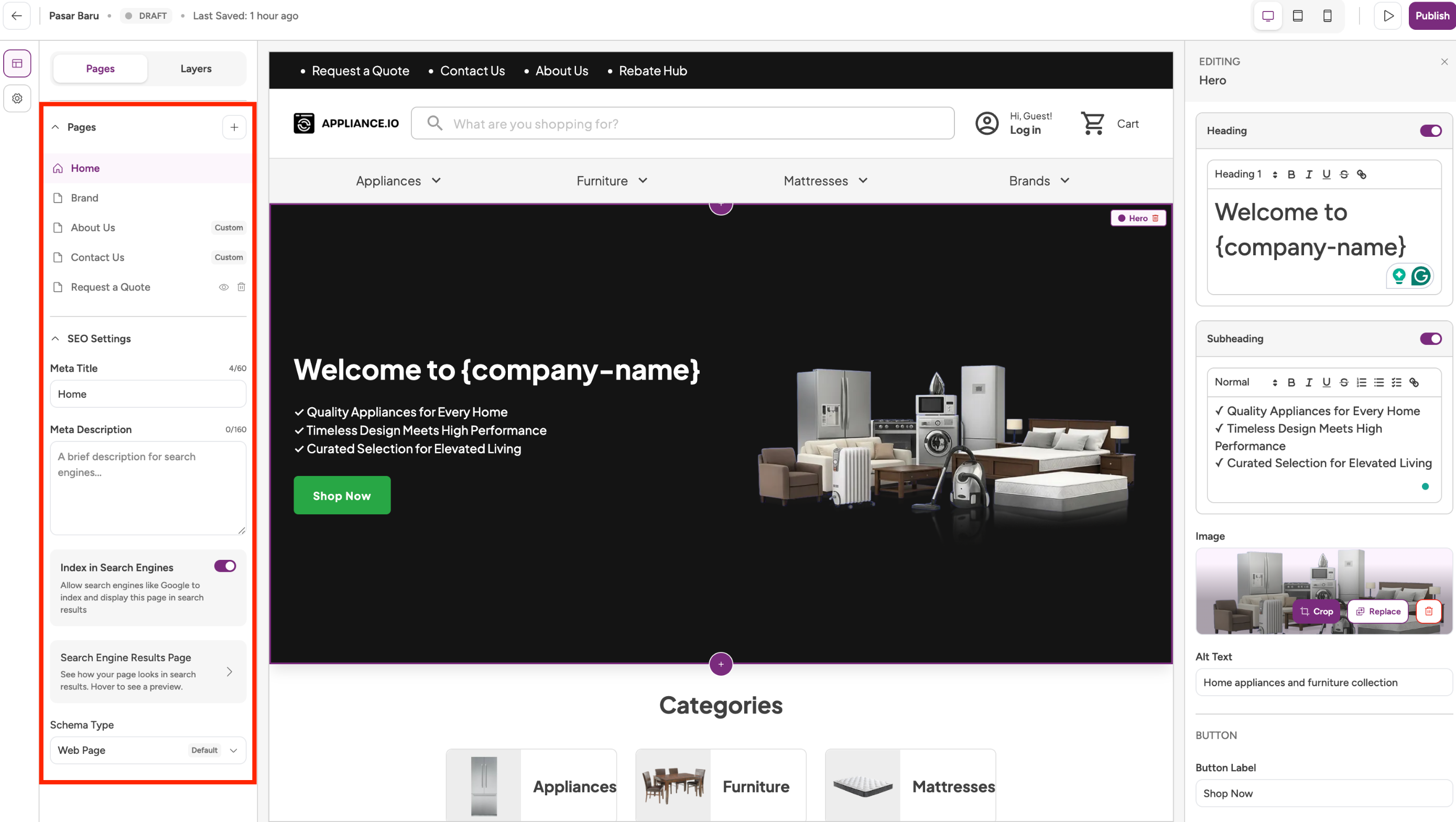
Default pages such as Home, Brand, About Us, Contact Us, and Request a Quote are automatically created during onboarding.
SEO Management
Page-level SEO settings are now available, including:
Meta Title
Meta Description
URL configuration
Index visibility
Schema type selection
Website Configuration Enhancements
Users can now manage key website settings directly through Website Builder and Site Settings, including:
Website branding
Product categories
Domains
Checkout configuration
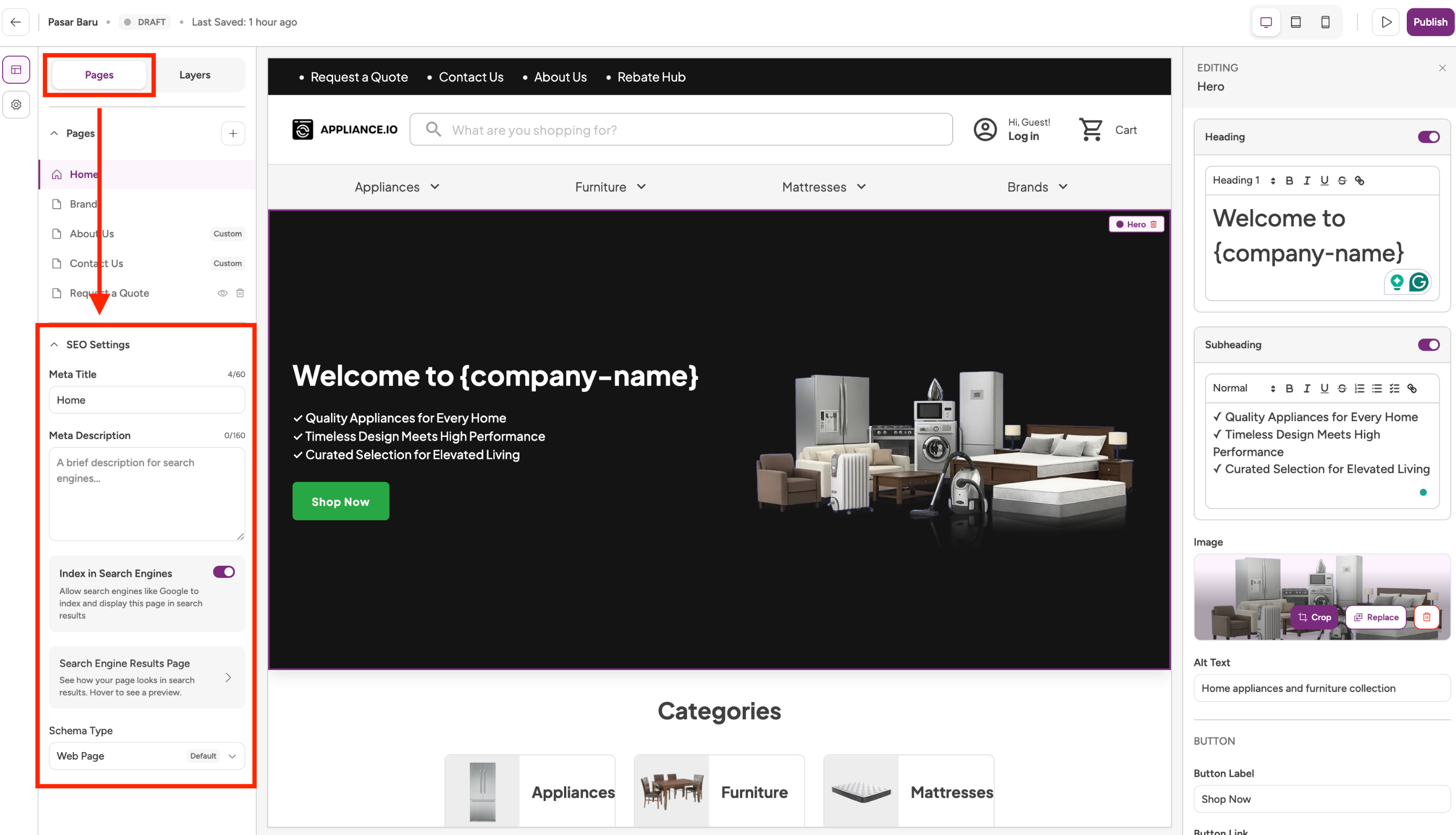
Custom Code
Custom Code Support
Website Admins and Super Admins can now add custom:
JavaScript
CSS
HTML
Analytics tools
Marketing pixels
Third-party widgets and integrations
Custom Code follows the same Draft → Publish workflow as other website updates.
Website Experience Improvements
Hero Section Refresh
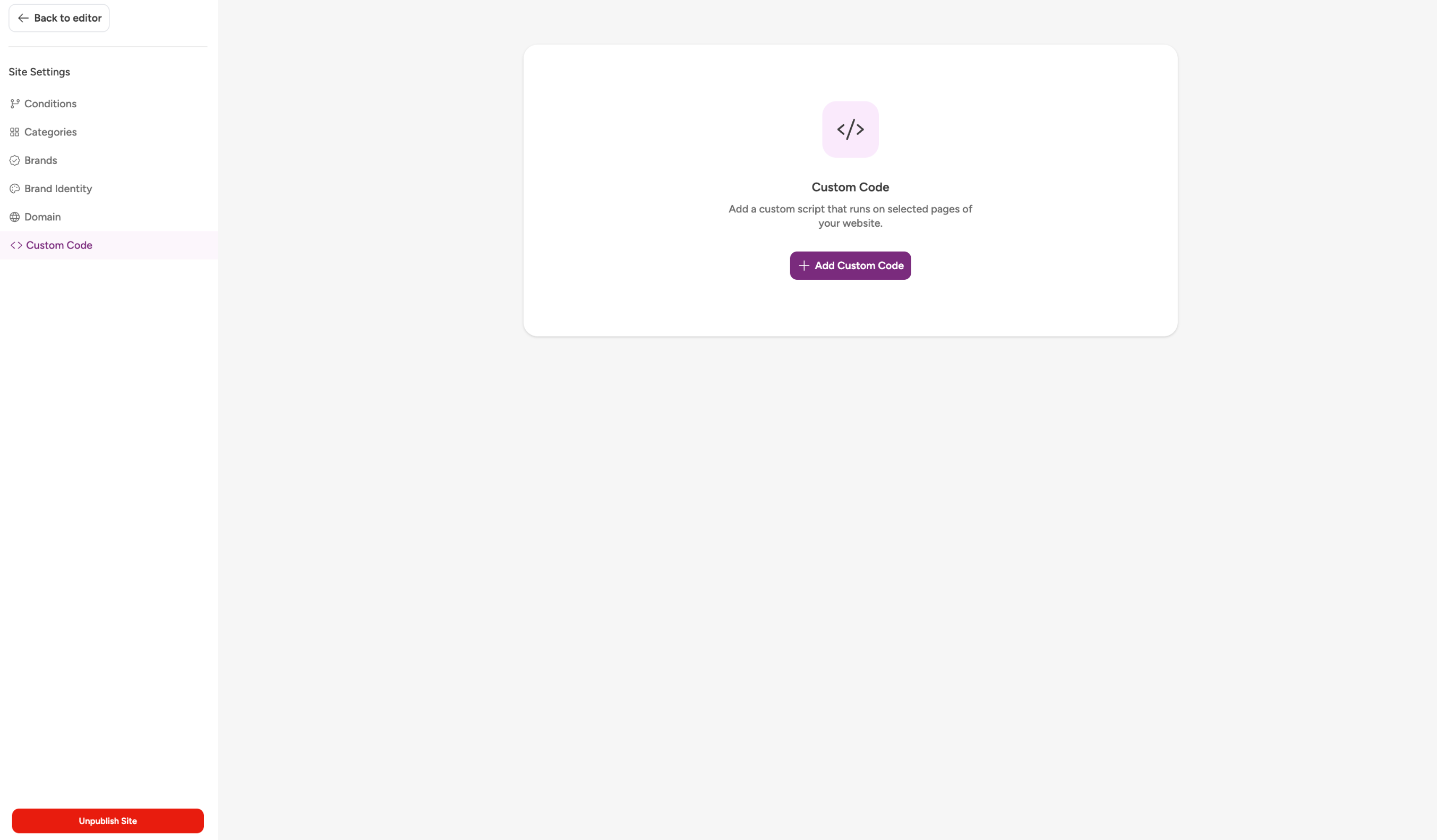
The Hero section has been redesigned to create a clearer visual hierarchy and improve readability.
Changes include:
Left-aligned copy and CTA placement
Updated image positioning
Improved content-to-image balance
Best Sellers Improvements
The Best Sellers section has been enhanced to improve product discovery and browsing.
Changes include:
Category navigation tabs
Sub-category filters
Cleaner product card layouts
Improved product image consistency
Standardized brand styling
Updated Add to Cart button styling
Promotional elements such as discount badges, strike-through pricing, Scratch & Dent labels, and countdown timers have been removed to create a cleaner shopping experience.
Workflow Improvements
Additional improvements include:
Saved onboarding progress across eligible users
Protection against conflicting onboarding sessions
Website preview before publishing
Clear separation between content management and website configuration
Improved publishing controls for website updates
Why This Matters
This update makes it easier to launch, manage, and grow a website by providing:
Faster website setup
More flexible content management
Better control over publishing changes
Stronger SEO capabilities
Expanded website customization options
Improved storefront navigation and product discovery
A more modern website management experience overall